Key takeaways
- Compare the best line-interactive UPS units for creative workstations, with sine wave output, AVR and enough runtime to save work and shut down safely.
A creative workstation is a bad machine to lose power on. A dropped frame is an annoyance; a dropped render, a corrupted project file or a photo library written halfway through a save can cost hours of work. A line-interactive UPS sits between the wall and the workstation, smoothing out sags and spikes with automatic voltage regulation and switching to battery the moment the mains fail, so the machine never sees the interruption.


The five units below are all line-interactive models sold for desktop and workstation duty. They differ in capacity, in the shape of the waveform they produce on battery, and in how much runtime and software support they give you. For creative work, waveform matters more than most buyers expect: modern workstation power supplies use active power factor correction, and they are happiest on a clean sine wave. Work through the capacity and waveform questions first and the right unit picks itself.
As an Amazon Associate, we earn from qualifying purchases.
Quick Picks
| Product | Best for | Key point |
|---|---|---|
| CyberPower CP1500PFCLCD | High-draw workstations that need the most wattage in this group | 1500VA and 1000W with pure sine wave output and 12 outlets |
| APC Back-UPS Pro BR1500MS2 | Creators who want APC software and a replaceable battery | 1500VA and 900W of pure sine wave output with PowerChute support |
| CyberPower CP1000PFCLCD | Single-monitor editing and design desks with modest loads | The same PFC sine wave design in a smaller 1000VA and 600W frame |
| Tripp Lite SMART1500LCDT | Buyers who want a long warranty and a big brand service network | 1500VA and 900W line-interactive protection with a PWM sine wave |
| APC Back-UPS Pro BX1500M | Budget-conscious setups with older or less sensitive power supplies | 1500VA and 900W with a stepped sine wave and a low running cost |
How to Choose
Size by watts, not by VA. The VA figure is the headline number, but the watt rating is what your workstation actually draws against. Add up the draw of the tower, monitors and any powered peripherals you want protected, then leave headroom for peaks during a render or export. A workstation that pulls 450 watts under load wants a unit rated well above that, which is why most buyers land on a 1500VA model even for a single machine.
Pure sine wave is the safe default for creative rigs. On battery, a UPS produces either a pure sine wave, a pulse-width-modulated approximation, or a stepped approximation. Active PFC power supplies, which are standard in modern workstations and high-end desktops, can buzz, run hot or shut down on a coarse stepped waveform. Pure sine wave output removes that variable entirely. If your power supply is older or a basic non-PFC design, a stepped unit will usually carry it, but the saving rarely justifies the risk on a machine that earns its keep.
Line-interactive AVR earns its place. Every unit here is line-interactive, which means it corrects minor voltage sags and swells through automatic voltage regulation without touching the battery. In buildings with tired wiring or heavy loads on the same circuit, that regulation works every day, not just during blackouts, and it saves the battery for genuine outages.
Runtime is for saving and shutting down, not for working through. A desktop UPS gives minutes, not hours. The realistic goal is to ride out flickers and short cuts without noticing, and to have enough battery left during a long outage to save the project, close applications and shut the machine down cleanly. More capacity buys more minutes at a given load, so size up if your renders leave the machine drawing hard for long stretches.
Software shutdown matters. Each brand here offers free software that talks to the UPS over USB and can close files and shut the workstation down unattended when the battery runs low. For a machine left rendering overnight, that link is the difference between a clean stop and a hard power cut at the worst moment.
Count the battery-backed outlets, not the total. Only some outlets on each unit carry battery power; the rest are surge-only. The workstation tower and its main monitor must land on battery-backed sockets. Peripherals such as printers and speakers belong on the surge-only side, where they are protected but do not drain the battery.
Best Options
CyberPower CP1500PFCLCD
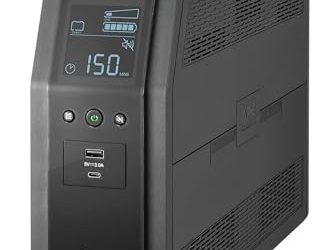
The CP1500PFCLCD is the strongest fit for a hard-working creative desk in this group. Its 1000-watt ceiling is the highest here, which leaves real headroom for a tower with a powerful graphics card plus a pair of monitors, and its output on battery is a pure sine wave, so active PFC power supplies behave exactly as they do on mains power. The line-interactive design with automatic voltage regulation keeps brownouts away from the machine without cycling the battery.
The front panel carries a colour LCD that tilts for viewing from above or below and shows load, battery level and estimated runtime at a glance. Twelve outlets give room for the tower, monitors, an external drive enclosure and networking gear, split between battery-backed and surge-only sockets. Front USB-A and USB-C charging ports handle a phone or tablet during an outage, and the PowerPanel software adds scheduled shutdowns and event alerts over the USB link. The sealed lead-acid batteries are user-replaceable, which extends the working life of the unit well beyond the first battery set.
Specs
- 1500VA / 1000W capacity; line-interactive topology with automatic voltage regulation; pure sine wave output on battery; 12 NEMA 5-15R outlets (6 battery backup and surge, 6 surge only); multifunction colour LCD; USB-A and USB-C charging ports; PowerPanel monitoring and shutdown software; user-replaceable sealed lead-acid batteries
Best for: High-draw workstations that need the most wattage in this group
Watch out for: It is a mini tower that takes real desk or floor space, and at heavy loads the runtime is measured in minutes, so plan on saving and shutting down rather than finishing a render
APC Back-UPS Pro BR1500MS2
The BR1500MS2 is APC’s sine wave answer to the same brief. It delivers 900 watts of pure sine wave output through a line-interactive design with automatic voltage regulation, which makes it a clean match for active PFC workstation power supplies. The LCD shows load and runtime clearly, and the unit adds USB-C and USB-A charging ports on the front for small devices.
The draw for many buyers is the ecosystem. APC’s PowerChute software handles unattended shutdowns, energy reporting and self-tests, and the battery is a user-replaceable cartridge, so a worn battery a few years in is a swap rather than a new unit. Ten outlets cover a tower, two monitors and the usual desk peripherals, and coaxial and network surge pass-throughs protect data lines as well as power. For a creator who already trusts APC gear elsewhere in the studio, this is the natural pick.
Specs
- 1500VA / 900W capacity; line-interactive topology with automatic voltage regulation; pure sine wave output on battery; 10 outlets; LCD display; USB-C and USB-A charging ports; PowerChute monitoring and shutdown software; user-replaceable battery cartridge
Best for: Creators who want APC software and a replaceable battery
Watch out for: The watt ceiling is lower than the CyberPower above, so a very high-draw tower with several monitors should be added up carefully before choosing this one
CyberPower CP1000PFCLCD

The CP1000PFCLCD applies the same PFC Sinewave recipe at a smaller scale. With 600 watts of pure sine wave output, it suits a single workstation with one or two monitors, a photo or video editing desk that does not run a flagship graphics card, or a design machine paired with an external drive dock. The line-interactive design with automatic voltage regulation is the same as its bigger sibling, so everyday voltage wobble is handled without battery wear.
Ten outlets give the same flexible layout in a smaller mini-tower frame, and the multifunction LCD reports load, battery state and runtime. USB-A and USB-C charging ports sit on the front, and PowerPanel software provides the same monitored, unattended shutdown path as the larger model. If your load adds up comfortably under the watt rating with headroom to spare, this unit gives you the waveform and regulation that matter without paying for capacity you will never use.
Specs
- 1000VA / 600W capacity; line-interactive topology with automatic voltage regulation; pure sine wave output on battery; 10 outlets; multifunction LCD; USB-A and USB-C charging ports; PowerPanel monitoring and shutdown software
Best for: Single-monitor editing and design desks with modest loads
Watch out for: The 600-watt ceiling is firm: a tower that spikes during GPU renders can overload it, so measure or estimate your real draw honestly before buying the smaller unit
Tripp Lite SMART1500LCDT

The SMART1500LCDT, sold under the Eaton Tripp Lite Series name, is the traditional office and workstation choice in this group. It is a line-interactive tower with automatic voltage regulation, 900 watts of capacity and ten outlets, and its battery output is a pulse-width-modulated sine wave rather than a pure one. That waveform is a step closer to mains power than a coarse stepped output, and it runs the great majority of desktop power supplies without complaint, though the fussiest active PFC units are better served by the pure sine wave models above.
In its favour are a clear LCD, a USB connection for monitoring and automatic shutdown software, and a surge suppression rating suited to protecting a desk full of gear. Tripp Lite backs the unit with a three-year warranty, the longest standard cover in this group, and the brand’s service network is a genuine consideration for a small studio that cannot afford downtime. The batteries are replaceable, which keeps the unit in service across several years of battery cycles.
Specs
- 1500VA / 900W capacity; line-interactive topology with automatic voltage regulation; PWM sine wave output on battery; 10 outlets; 650 joules surge protection; LCD display; USB port for monitoring and shutdown software; replaceable batteries; three-year warranty
Best for: Buyers who want a long warranty and a big brand service network
Watch out for: The PWM waveform is not a pure sine wave, so if your workstation power supply is a high-end active PFC design, the pure sine wave picks above are the safer match
APC Back-UPS Pro BX1500M

The BX1500M is the value route into 1500VA protection. It is a line-interactive unit with automatic voltage regulation and 900 watts on tap, with ten outlets split evenly between battery backup and surge-only. On battery it produces a stepped approximation to a sine wave, which is the compromise that keeps its cost down: most desktop power supplies run on it happily, and APC rates the unit as active PFC compatible, but it is not the waveform a high-end workstation supply would choose for itself.
Everything else follows the Back-UPS Pro pattern. There is an LCD for load and runtime, a USB link for PowerChute shutdown software, and a user-replaceable battery cartridge, so ownership costs stay low over the years. For a second machine, a home editing desk with an older tower, or a creator whose budget has to cover the whole desk at once, it delivers the core protection job — ride out the flickers, save the work, shut down cleanly — at the lowest commitment in this group.
Specs
- 1500VA / 900W capacity; line-interactive topology with automatic voltage regulation; stepped approximation to a sine wave output on battery; 10 outlets (5 battery backup, 5 surge only); LCD display; PowerChute monitoring and shutdown software; user-replaceable battery cartridge
Best for: Budget-conscious setups with older or less sensitive power supplies
Watch out for: The stepped waveform is the trade-off: if you later upgrade to a premium active PFC power supply, you may want to move this unit to a less demanding desk and put a pure sine wave model under the main machine
Which One Fits
- Choose the CyberPower CP1500PFCLCD if your workstation draws heavily under load and you want the highest watt ceiling and the most outlets in this group.
- Choose the APC BR1500MS2 if you want pure sine wave output inside the APC ecosystem, with PowerChute software and a cartridge battery you can swap yourself.
- Choose the CyberPower CP1000PFCLCD if your desk is a single editing or design machine with a modest draw and you still want pure sine wave output and AVR.
- Choose the Tripp Lite SMART1500LCDT if the three-year warranty and Tripp Lite service network matter more to you than a pure sine wave.
- Choose the APC BX1500M if the budget leads the decision and your power supply is an older or forgiving design that runs happily on a stepped waveform.
Common Mistakes
Judging by VA alone. Two units can both claim 1500VA and differ by 100 watts of real capacity. The watt rating is the ceiling your workstation draws against, so compare watts first and VA second.
Putting the printer on a battery outlet. Printers, speakers and lamps gain nothing from battery power and drain the reserve your workstation needs. Battery-backed outlets are for the tower, the main monitor and storage that must not lose power mid-write.
Skipping the USB shutdown link. A UPS that beeps while an overnight render dies is only half a solution. Connect the USB cable and set the software to save and shut down automatically, so an unattended machine protects itself.
Ignoring the battery as a consumable. Sealed lead-acid batteries fade over a few years of service. Choosing a model with a user-replaceable battery, and noting the cartridge type when you buy, turns a future failure into a short swap instead of a full replacement.
Expecting hours of runtime. These are desktop units sized in minutes. If your building loses power often and for long stretches, the UPS still earns its place for clean shutdowns, but it will not carry a workstation through an afternoon outage.
FAQ
Does a creative workstation really need pure sine wave output?
For most modern machines, yes, it is the safer choice. Workstation power supplies use active power factor correction, and some of them behave poorly on a stepped waveform, from audible buzzing to unexpected shutdowns at the moment of switchover. A pure sine wave unit removes that risk entirely, which is why three of the five picks here produce one.
How long will one of these units run my workstation?
It depends on the load. A lightly loaded editing desk can see a comfortable window for saving work and shutting down, while a tower rendering at full draw shortens that window sharply. Treat the runtime as protection against flickers and short cuts, plus a safe landing during long ones, rather than as extra working time.
What should I plug into the battery-backed outlets?
The workstation tower first, then its main monitor, then any external storage that could be writing data when the power drops. Networking gear is a reasonable addition if it draws little. Everything else, including printers and speakers, belongs on the surge-only outlets.
When should the battery be replaced?
Plan on a few years from a sealed lead-acid battery, and watch for the signs: the unit’s self-test flags it, runtime shrinks noticeably, or the battery icon complains after a short outage. Every model here allows a user swap, and replacing the battery restores the unit instead of sending it to recycling.
Final Verdict
Most creative workstations should land on a pure sine wave 1500VA unit: the CyberPower CP1500PFCLCD for maximum wattage and outlets, or the APC BR1500MS2 for the APC software ecosystem and cartridge battery. The smaller CP1000PFCLCD covers lighter desks with the same waveform quality, the Tripp Lite SMART1500LCDT trades a pure waveform for warranty length and service reach, and the BX1500M keeps the core job affordable for forgiving power supplies. Size by watts, insist on the waveform your power supply deserves, and connect the shutdown software on day one.