Key takeaways
- Compare high-capacity desktop UPSs for creative workstations by VA, watts, waveform, outlets and runtime from Amazon listings, with clear picks for rendering, editing and dual-monitor desks.
The real decision with a high-capacity desktop UPS is not whether it keeps the lights on during a blackout. It is whether its watt rating, waveform, and runtime are enough to let a workstation that is mid-render, mid-export, or mid-save finish safely or shut down cleanly without corrupting a project file. A unit that is too small in watts will overload at the exact moment the graphics card and processor are working hardest, which is precisely when protection matters most.


This guide is for video editors, 3D artists, photographers, music producers, and designers who run a powerful desktop tower with one or two monitors, external drives, and audio or capture hardware. Every option below was selected from the product name and specifications shown on its Amazon product page, focusing on models rated at 1500VA, their listed watt output, outlet layout, and stated runtime figures.
Quick Picks
As an Amazon Associate we earn from qualifying purchases
| Product | Best for | Key spec from title |
|---|---|---|
| APC Back-UPS Pro BR1500MS2 | A single creative tower plus monitor that needs sinewave output and USB-C charging on the desk | 1500VA/900W |
| CyberPower CP1500PFCLCD | A workstation with many peripherals that needs the highest watt rating and most outlets in this group | 1500VA/1000W |
| APC Smart-UPS SMC1500C | A studio desk where remote status checks through SmartConnect matter as much as backup time | 1500VA/900W |
| Tripp Lite SMART1500LCD | A desk or small rack where the same unit must work as a tower or in 2U rack space | 1500VA/900W |
How to Choose
Match watts to the workstation, not just VA
VA is the headline number, but watts decide whether the UPS can actually carry your computer. Two units can both say 1500VA in the title and still differ by a meaningful margin in watts, as the options in this guide show. Add up the draw of the tower under load, the monitor or monitors, and any drive or interface that must stay on during an outage. A rendering workstation that pulls heavily from its power supply needs headroom above that total, because an export or render can spike demand. If the combined load sits close to the listed watt limit, move up in capacity or leave non-essential gear on surge-only outlets.
Choose sinewave output for modern power supplies
Creative workstations usually use active power factor correction power supplies, and the waveform the UPS produces on battery matters for those supplies. The Amazon listings in this guide describe sinewave or PFC sinewave output for three of the four models, and PWM sine wave on battery for the Tripp Lite model. That distinction belongs in your decision, not in the fine print after purchase. Check the exact wording on the listing for the model you are considering, and match it to what your workstation power supply expects. If a listing only says simulated or modified output without the sinewave wording, treat that as a different class of product.
Read runtime at your actual load level
Runtime figures only make sense next to a load figure. A listing that states minutes at half load and minutes at full load is telling you two very different stories, and your workstation will sit somewhere between them depending on whether it is idling, editing, or rendering. For most creative desks, the goal is not to keep working through a long outage. The goal is enough minutes to pause a job, save the project, close applications in order, and shut down without stress. Look for the half-load and full-load numbers on the Amazon page, estimate where your setup falls, and be honest about external drives or a second monitor adding to that load.
Count battery outlets separately from surge-only outlets
The total outlet count in a title can mislead you if you do not split it. On the models here, only part of the outlets provide battery backup, while the rest provide surge protection only. List what truly needs battery time: the tower, the main monitor, and the drive that holds the active project. Printers, speakers, lamps, and chargers can usually go on surge-only outlets or stay off the UPS entirely. Also check the physical details from the listing, such as tower dimensions, a tilting or rotating display, and USB charging ports, because a high-capacity unit is large and heavy and needs clear floor or desk space beside the workstation.
The 4 Best Options
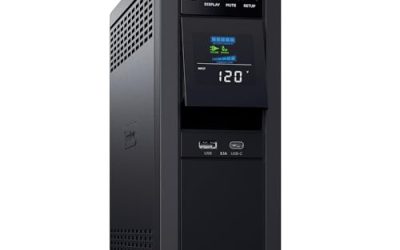
APC Back-UPS Pro BR1500MS2
This APC model suits a creative who runs one powerful tower, one main monitor, and a small set of desk devices and wants sinewave output with automatic voltage regulation in a single tower unit. The listing highlights an LCD, USB-C charging, and a user-replaceable battery, which fits a workstation that stays in one place for years. It is a sensible centre for a photo, design, or video desk where the priority is clean shutdown time for the computer and display, plus protection for network and storage gear that does not need to share the battery outlets with everything else on the desk.
Specs
- Capacity listed as 1500VA / 900W
- Sinewave UPS with Automatic Voltage Regulation (AVR)
- 10 outlets (NEMA 5-15R): 6 with battery backup and surge protection, 4 with surge protection only
- Two USB charger ports: 1 USB-C and 1 Type-A, 15W shared
- Surge protection rating listed as 1080 Joules
- Battery cell type listed as Sealed Lead Acid
- Replaceable battery model listed as APCRBC163
- Form factor listed as Tower
- Item dimensions listed as 15 x 4.4 x 11.9 inches
- Item weight listed as 27.6 pounds
Best for: A single-tower editing or design workstation with one monitor that needs sinewave backup and a replaceable battery.
Watch out for: Confirm the 900W rating covers your tower under full render load plus the monitor, and note that only 6 of the 10 outlets are on battery.
ASIN: B08GRY1W93
CyberPower CP1500PFCLCD
The CyberPower option fits a busier creative desk, where the workstation sits alongside a second display, external storage, an audio interface, and network hardware, and the extra outlets and higher watt rating in the listing become the deciding factors. Its colour LCD is described as tilting for viewing when the unit sits low under a desk, which is where most high-capacity units end up. The listing also names PowerPanel management software for monitoring and shutdown, which suits a producer or editor who sometimes starts a long export and steps away from the machine while it works unattended.
Specs
- Capacity listed as 1500VA / 1000W
- PFC Sine Wave battery backup designed to support active PFC and conventional power supplies
- 12 NEMA 5-15R outlets: 6 battery backup and surge protected, 6 surge protected only
- Multifunction colour LCD panel, tilts up to 22 degrees
- Automatic Voltage Regulation (AVR)
- 2 USB charge ports: 1 Type-A and 1 Type-C
- Runtime listed as 10 minutes at half load and 2.5 minutes at full load
- Replacement battery cartridge listed as RB1290X2
- Form factor listed as Mini Tower
- Item dimensions listed as 14 x 3.9 x 11 inches
- Item weight listed as 24.9 pounds
Best for: A multi-peripheral creative workstation that needs 1000W, 12 outlets, and a readable under-desk display.
Watch out for: The listed full-load runtime is short, so plan for saving and shutting down rather than continuing a render, and check that 6 battery outlets are enough for the gear that must stay on.
ASIN: B00429N19W
APC Smart-UPS SMC1500C

This Smart-UPS model is aimed at a small studio or a serious home workstation where the computer supports client work and downtime has a direct cost. The listing centres on SmartConnect, described as cloud-enabled monitoring accessible from an internet-connected device, alongside pure sine wave output and AVR. That makes it the pick to examine when you want status visibility for a machine in another room, a shared studio, or a desk that also supports a small server or network storage. Its larger tower footprint needs planning, so measure the space beside the desk before choosing it over a narrower Back-UPS style unit.
Specs
- Capacity listed as 1500VA / 900W
- Pure Sine Wave UPS battery backup
- Line interactive uninterruptible power supply, 120V
- Input listed as NEMA 5-15P, output listed as 8 NEMA 5-15R outlets
- Automatic Voltage Regulation (AVR)
- SmartConnect cloud-enabled monitoring feature described on the listing
- Surge protection rating listed as 680 Joules
- Battery cell type listed as Sealed Lead Acid
- Form factor listed as Tower
- Item dimensions listed as 17.28 x 6.73 x 8.62 inches
Best for: A studio workstation or desk that also supports storage or network gear and benefits from remote UPS status monitoring.
Watch out for: Check the larger dimensions and weight against your available floor space, and confirm the outlet count and layout on the listing match your tower, monitor, and storage setup.
ASIN: B077Y62GSJ
Tripp Lite SMART1500LCD

The Tripp Lite model stands apart because its listing describes a 2U rack and tower cabinet, so it serves a creative desk that may move into a small rack with audio, video, or network equipment. It suits a workstation corner where placement flexibility matters more than having the most outlets, for example a video desk that later adds rack-mounted capture or storage hardware. The listing describes an illuminated LCD that can rotate to match the orientation of the unit, plus USB and serial connections for power management, which helps whether the unit stands vertically beside a tower or lies in a rack under the desk.
Specs
- Load capacity listed as 1500 VA (900W)
- Nominal AC input and output listed as 120V, 60 Hz
- 8 outlets listed as 8 x 5-15R
- Output waveform on battery mode listed as PWM Sine Wave
- Output waveform in AC mode listed as Sine Wave
- Half-load runtime listed as 11.8 minutes at 450W load
- Input cord listed as 6 ft. (1.8 m) with 5-15P right-angle plug
- Automatic Voltage Regulation (AVR) and surge protection described on the listing
- Cabinet listed as 2U rack/tower
- Item dimensions listed as 10.5 x 17.25 x 3.5 inches
- Item weight listed as 29 pounds
Best for: A creative workstation that needs one UPS able to work as a desktop tower now and in 2U rack space later.
Watch out for: Note the battery-mode waveform is listed as PWM Sine Wave rather than pure sine wave, so check compatibility with your workstation power supply before buying.
ASIN: B000DZRY9C
Which One Fits Your Situation
You edit video on one tower and one large monitor
Start with the APC Back-UPS Pro BR1500MS2 or the CyberPower CP1500PFCLCD, because both centre on a single workstation and display. Choose the APC if USB-C charging and a replaceable battery named on the listing matter to your desk. Choose the CyberPower if you need the higher 1000W rating from its title or expect a second monitor and more peripherals to join the battery side over time.
You run long renders or exports while away from the desk
Look first at the models whose listings name management software or monitoring, the CyberPower with PowerPanel and the APC SMC1500C with SmartConnect. The point is not extra runtime on its own. It is controlled, orderly shutdown and clear status information when nobody is sitting in front of the machine. Set the software up before the first unattended job, and keep only the tower, main monitor, and active project drive on battery outlets.
Your desk is becoming a small studio rack
The Tripp Lite SMART1500LCD fits this path because its listing describes a 2U rack/tower cabinet and a rotating LCD. It lets the UPS move from beside the tower into rack space as audio interfaces, storage, and network gear are racked. Before choosing it, confirm the PWM sine wave wording on battery is acceptable for your workstation power supply, and plan rack depth and ventilation around its listed dimensions and weight.
You have many peripherals but only a few need battery time
The CyberPower CP1500PFCLCD, with 12 outlets split evenly between battery and surge-only in its listing, gives the clearest separation for this setup. Put the tower, main display, and project drive on the battery side. Put speakers, a printer, chargers, and a second non-essential display on surge-only outlets. That discipline protects runtime for the equipment whose sudden loss would actually damage a project file or interrupt a save.
Common Mistakes
- Buying by VA alone and ignoring the watt rating, then overloading the UPS when the workstation renders or exports at full draw.
- Plugging every desk device into battery outlets, including printers and speakers, and draining the runtime the tower and monitor actually need.
- Assuming every outlet in the title count has battery backup, when the listing splits outlets between battery plus surge and surge only.
- Ignoring the waveform wording on the listing, especially the difference between pure sine wave output and PWM sine wave output on battery.
- Placing a heavy tower UPS in a closed cabinet or under cables without checking its listed dimensions, weight, and ventilation space.
Frequently Asked Questions
How much runtime does a creative workstation really need from a UPS?
For most desks, enough runtime means time to pause work, save the project, close programs, and shut down in order, not time to finish a render. Use the half-load and full-load minutes stated on the Amazon listing as your guide, estimate your load honestly, and treat any extra minutes as a buffer for saving external drive files and safely stopping background exports.
Is 1500VA enough for a workstation with two monitors?
It can be, but the watt rating and what else shares the battery outlets decide the answer. Check the listed watts for the model, add the tower under load and both monitors, and keep non-essential gear on surge-only outlets. If the total sits near the watt limit in the listing, a two-monitor rendering setup has little headroom, and you should reduce the battery load or choose a higher-capacity class of unit.
Why does sinewave output matter for a creative PC?
Many workstation power supplies use active power factor correction, and the Amazon listings for sinewave models describe them as designed for that compatibility. The waveform on battery is therefore part of the buying decision, not a technical extra. Read the exact wording for each model, note where a listing says PWM sine wave instead, and match that wording to the requirements of the power supply in your own machine before ordering.
Should external drives and network gear go on the UPS too?
The drive holding the active project usually belongs on a battery outlet, because an abrupt loss during a save or export is a real risk. Network gear can also make sense if you need to finish an upload or keep a shared studio drive reachable during a short outage. Speakers, printers, and chargers rarely justify battery time, so keep them on surge-only outlets to preserve runtime for the workstation itself.