Our Short List of 3

- Best for: Builders who want maximum glass coverage with fans already fitted.
- Mid-tower gaming PC case with panoramic tempered glass
- 6 PWM ARGB fans pre-installed
- Type-C port
- 360mm radiator support

- Best for: Compact desks and micro-ATX builds that still need a real display window.
- M-ATX PC case, compact panoramic tempered glass gaming case
- Supports 240mm AIO and 340mm GPU
- Optimized airflow mini tower computer case
- USB 3.0 port

- Best for: First display builds and smaller desks where a compact case fits better.
- Micro-ATX computer case with 270-degree panoramic tempered glass panel
- 3 fans pre-installed
- USB 3.0 port
- Black, V3 model
All 3 Picks at a Glance
| Product | Specs | Action |
|---|---|---|
| ANSAITE G8 Panoramic Tempered Glass PC Case |
| Check price on Amazon |
| RUIX OV502 Pro Panoramic Tempered Glass PC Case |
| Check price on Amazon |
| MOROVOL V3 Panoramic Tempered Glass PC Case |
| Check price on Amazon |
Key takeaways
- Compare five panoramic display PC cases with tempered glass, pre-installed fans, and room for graphics cards, and pick the showcase case for your setup.
A display PC case turns the computer itself into the showpiece. Instead of a solid side panel that hides the parts, these cases use wide tempered glass panels that wrap around the front and side, so the graphics card, fans, and lighting stay visible from the desk. The five cases below all state panoramic glass wording in their listings, which is the feature that separates a true display case from an ordinary case with a single glass window.
Every pick here is a closed mid-tower or compact tower case with a brand name, pre-installed fans, and a glass layout meant to show off the build. Sizes range from micro-ATX compacts to full mid-tower ATX cases, so check the board size and clearance figures in each listing before settling on one. All five state panoramic tempered glass or panoramic glass panels in their listing wording, and none of them is an open frame or a test bench. All five were corroborated from sibling-site roundups.
Quick Picks
As an Amazon Associate we earn from qualifying purchases
| Product | Best for | Key spec from title |
|---|---|---|
| ANSAITE G8 Panoramic Tempered Glass PC Case | Widest glass coverage on a budget build | Panoramic tempered glass computer case |
| NZXT H6 Flow RGB Panoramic Glass PC Case | Clean cable-managed showcase builds | Panoramic glass panels |
| CORSAIR iCUE Link 3500X RGB Panoramic PC Case | Reverse-connection motherboard builds | Panoramic tempered glass |
| RUIX OV502 Pro Panoramic Tempered Glass PC Case | Compact micro-ATX display builds | Compact panoramic tempered glass gaming case |
| MOROVOL V3 Panoramic Tempered Glass PC Case | Small desks and first display builds | 270-degree panoramic tempered glass panel |
How to Choose
Glass Coverage and Viewing Angles
Panoramic glass is the wording that matters most in this class. A panoramic case carries glass across two adjoining faces, usually the front and the side, so the interior stays visible from more than one angle. A single tempered glass side panel alone does not give the same effect, because the front stays solid and the view narrows to one direction. Listings that state 270-degree glass describe the same wraparound layout in numbers. When you compare cases, confirm that both panels are tempered glass rather than one glass panel paired with a mesh or solid front, and check whether the listing names a front panel, a side panel, or both.
Case Size and Board Support
Display cases in this roundup span two sizes. Mid-tower ATX cases accept full-size ATX boards plus smaller boards, and they leave more room for long graphics cards and tall radiators. Compact and micro-ATX cases suit smaller boards and tighter desks, but they trade away clearance, so a long graphics card or a large radiator that fits a mid-tower may not fit a compact. Match the case to the board you own or plan to buy, and read the stated radiator support and graphics card length in the listing before ordering. A case that states 360mm radiator support gives more cooling headroom than one that states 240mm.
Fans, Airflow, and Cable Routing
A display case lives or dies on what is visible inside it, and messy cables spoil the view faster than any other detail. Cases with stated cable management features, such as routing channels or a dual-chamber layout, keep cables behind the motherboard tray and out of the glass view. Pre-installed fans matter too: a case that ships with three, four, or six fans already fitted saves a separate purchase and keeps the interior looking finished from the first boot. Reverse fans, which pull air in through the glass side without showing their frames, are worth noting where a listing states them. Count the included fans and confirm whether they are addressable RGB where lighting matters to you.
Build Features That Protect the Showpiece
The details that protect a display build are easy to overlook. Reverse-connection motherboard compatibility matters if you plan a build with connectors hidden on the back of the board, because only cases that state it will route those cables cleanly. A graphics card support bracket or anti-sag feature keeps a heavy card level, which matters more in a glass case where a drooping card stays visible. Radiator support figures decide whether a liquid cooler fits at the top or front, and a Type-C front port decides whether modern peripherals connect without an adapter. Read each listing for these stated features rather than assuming them, since two cases that look alike in photographs can differ sharply in what they support.
The 5 Best Options
ANSAITE G8 Panoramic Tempered Glass PC Case
- Best for: Builders who want maximum glass coverage with fans already fitted.
- Mid-tower gaming PC case with panoramic tempered glass
- 6 PWM ARGB fans pre-installed
- Type-C port
- 360mm radiator support
Builders who want maximum glass coverage with fans already fitted.
Confirm your graphics card length against the listing before ordering, since the listing does not state a card length figure.
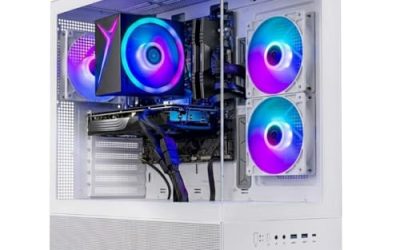
The ANSAITE G8 states panoramic tempered glass across a mid-tower gaming case, with six PWM addressable RGB fans pre-installed and a Type-C port on the front. Its listing states 360mm radiator support, which gives room for a large liquid cooler at the top or front, and the black finish keeps the focus on the parts inside rather than the chassis itself. The wraparound glass layout suits builders who want the widest possible view of their components from the desk, while the pre-installed fans mean the interior looks finished without extra purchases.
Watch out for: Confirm your graphics card length against the listing before ordering, since the listing does not state a card length figure.
NZXT H6 Flow RGB Panoramic Glass PC Case
The NZXT H6 Flow RGB is a mid-tower airflow case with three RGB fans and panoramic glass panels, plus stated cable management to keep wiring out of the view. Its compact dual-chamber heritage shows in the tidy interior, and the panoramic panels wrap the front and side so the build stays visible from the desk and from across the room. The black finish and the three included RGB fans give a finished look straight out of the box, and the airflow-first design suits builders who want cooling and display in the same case.
Specs
- Mid-tower airflow case with 3 RGB fans
- Panoramic glass panels
- Cable management
- Black finish
Best for: Builders who want a tidy, cable-managed showcase with airflow to match.
Watch out for: The listing names three included fans, so plan extra fans only if your parts list needs more cooling than three fans provide.
ASIN: ⚠ B0C89F1V5S
CORSAIR iCUE Link 3500X RGB Panoramic PC Case
The CORSAIR iCUE Link 3500X RGB is a mid-tower ATX case with panoramic tempered glass and reverse-connection motherboard compatibility, which lets builders hide board connectors behind the tray for a cleaner glass view. Three CORSAIR iCUE Link RX120 RGB fans come included, and the listing states a spacious interior with removable panels and cable routing. The combination of panoramic glass and a reverse-connection layout makes it a strong match for builders who want the interior to look as deliberate as the parts inside it.
Specs
- Mid-tower ATX PC case with panoramic tempered glass
- Reverse-connection motherboard compatible
- 3 CORSAIR iCUE Link RX120 RGB fans included
- Removable panels and cable routing
- Black finish
Best for: Reverse-connection motherboard builds where hidden cables matter most.
Watch out for: Reverse-connection boards are a specific board type, so confirm your motherboard matches before choosing this case for that layout.
ASIN: ⚠ B0CZV112KZ
RUIX OV502 Pro Panoramic Tempered Glass PC Case
- Best for: Compact desks and micro-ATX builds that still need a real display window.
- M-ATX PC case, compact panoramic tempered glass gaming case
- Supports 240mm AIO and 340mm GPU
- Optimized airflow mini tower computer case
- USB 3.0 port
Compact desks and micro-ATX builds that still need a real display window.
The compact form limits board size to micro-ATX and smaller, so full-size ATX boards will not fit.
The RUIX OV502 Pro is the compact pick in this roundup, a micro-ATX case that states compact panoramic tempered glass in a mini tower form. Its listing states support for a 240mm all-in-one cooler and a 340mm graphics card, plus optimized airflow and a USB 3.0 port, which is a generous clearance set for a compact chassis. The smaller footprint suits desks where a full mid-tower would dominate, while the panoramic glass keeps the display-case character intact at the smaller size.
Watch out for: The compact form limits board size to micro-ATX and smaller, so full-size ATX boards will not fit.
MOROVOL V3 Panoramic Tempered Glass PC Case
- Best for: First display builds and smaller desks where a compact case fits better.
- Micro-ATX computer case with 270-degree panoramic tempered glass panel
- 3 fans pre-installed
- USB 3.0 port
- Black, V3 model
First display builds and smaller desks where a compact case fits better.
Treat the micro-ATX board limit as firm, and check graphics card length against the listing before ordering.
The MOROVOL V3 states a 270-degree panoramic tempered glass panel on a micro-ATX gaming case, with three fans pre-installed and a USB 3.0 port. The wraparound glass figure is stated in degrees rather than described in prose, which makes the viewing angle easy to compare against other cases in this class. Its compact micro-ATX form suits first-time builders and smaller desks, and the three included fans keep the interior ventilated and visible without extra parts.
Watch out for: Treat the micro-ATX board limit as firm, and check graphics card length against the listing before ordering.
Which One Fits Your Situation
You Want the Widest View of Your Build
Choose a case whose listing states panoramic glass across two faces, such as the ANSAITE G8 or the CORSAIR 3500X RGB, since wraparound glass shows the build from more angles than a single side window. Pair it with addressable RGB fans so the interior reads clearly through the glass, and keep cables routed behind the tray so nothing distracts from the parts. A mid-tower size suits this goal best, because the larger glass area gives the display room to breathe.
You Are Building in a Compact Space
Pick a compact or micro-ATX display case such as the RUIX OV502 Pro or the MOROVOL V3, and verify the stated graphics card and radiator limits before ordering. Compact cases keep the display character through panoramic glass while fitting desks where a mid-tower would crowd the workspace. Measure the desk depth as well as the case footprint, since a compact case still needs clearance for cables and airflow at the back.
You Want a Case That Arrives Ready to Show Off
Look for cases with several pre-installed RGB fans, such as the NZXT H6 Flow RGB with three or the ANSAITE G8 with six, so the build looks finished from the first boot. Pre-installed fans save a separate purchase and keep fan frames and lighting consistent across the interior. Confirm the fan count and lighting type in the listing, and check that the case states cable management so the wiring stays hidden behind the glass view.
You Plan a Reverse-Connection Motherboard Build
Choose a case that states reverse-connection motherboard compatibility in its listing, such as the CORSAIR iCUE Link 3500X RGB, because only those cases route back-side board connectors cleanly. Standard cases can leave those connectors pressed against the tray or exposed in the glass view. Confirm the board model matches the reverse-connection layout, and use the stated cable routing features to keep every cable behind the motherboard tray.
Common Mistakes
- Buying on a single glass side panel alone: without stated panoramic wording, the case shows the build from only one angle.
- Ignoring board size: a full-size ATX board will not fit a micro-ATX or mini tower case, no matter how good the glass looks.
- Forgetting clearance figures: check the stated graphics card length and radiator support before ordering, especially in compact cases.
- Assuming fans are included: some display cases ship with no fans, so confirm the included fan count in the listing.
- Overlooking cable management: without stated routing features, cables end up visible through the glass and spoil the display effect.
Frequently Asked Questions
What makes a PC case a display case?
A display case is built to show the components inside, usually with panoramic tempered glass across the front and side so the build stays visible from more than one angle. Ordinary cases may carry a single glass side panel, but display cases state panoramic, wraparound, or showcase glass wording in their listings. Pre-installed fans and cable management features support the same goal by keeping the interior tidy and visible.
Does panoramic glass hurt airflow?
Panoramic glass replaces mesh or vented panels on the covered faces, so airflow depends on the remaining vents and the included fans. Cases in this class offset the glass with stated fan counts, airflow layouts, and radiator support, so check those figures in the listing. A case with several pre-installed fans and stated radiator support will cool better than one with glass panels and no included fans.
Do display cases fit large graphics cards?
It depends on the case size. Mid-tower display cases generally leave room for long graphics cards, while compact and micro-ATX cases state firmer limits, such as the 340mm graphics card figure on the RUIX OV502 Pro. Always compare the card length against the figure stated in the listing, and allow room for power cables at the end of the card.
Can a micro-ATX board go in a mid-tower display case?
Yes. Mid-tower ATX cases accept smaller boards, including micro-ATX, because the mounting points are shared across board sizes. The reverse does not hold: a full-size ATX board will not fit a micro-ATX case. If you own a micro-ATX board and want the widest glass area, a mid-tower display case is a workable choice with room to spare.